
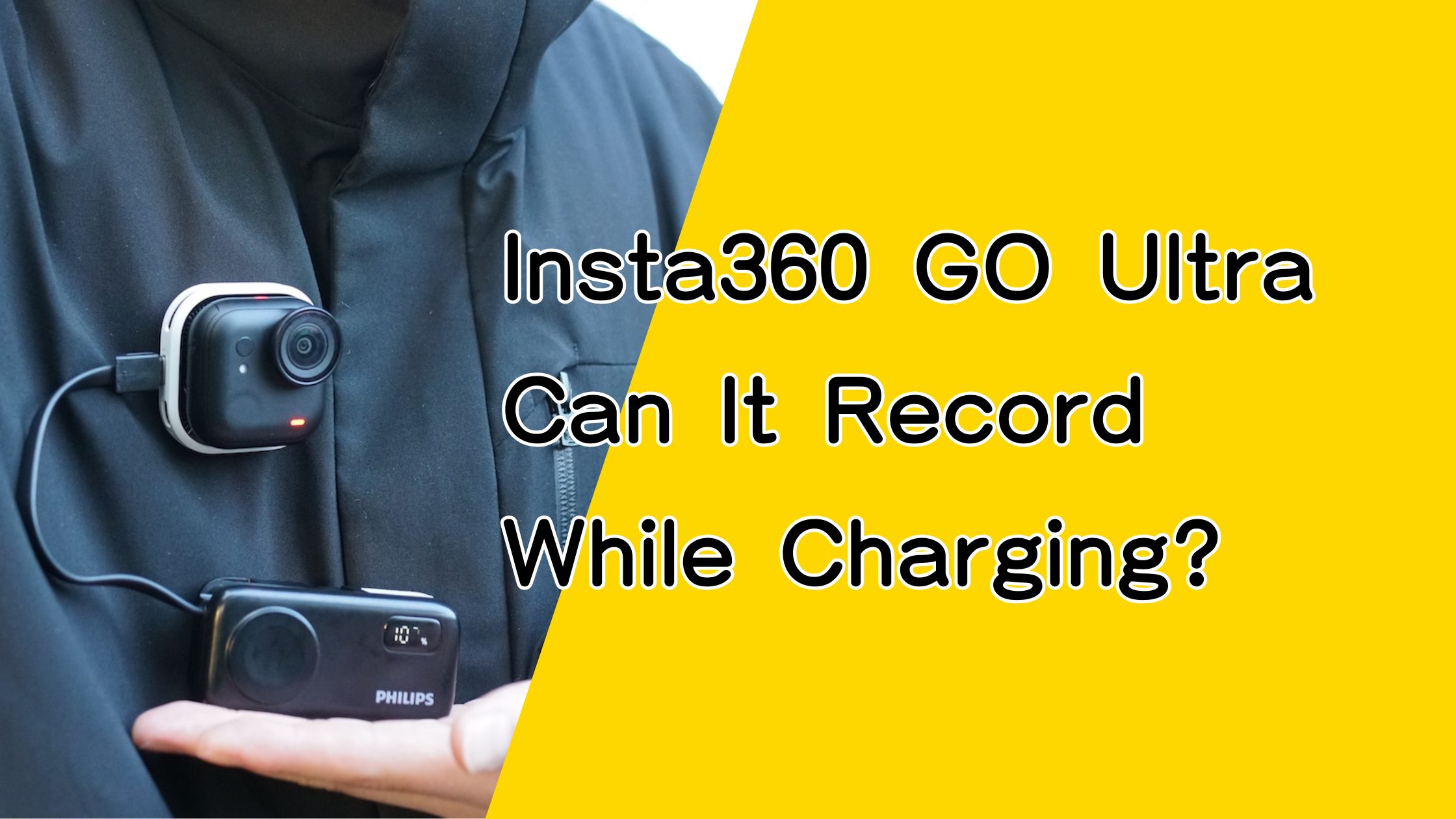
※This article contains affiliate links, and we may earn a commission.
Are you wondering whether the Insta360 GO Ultra can record while charging, even without the Action Pod?
The short answer is yes.
By using Insta360’s official accessories, the GO Ultra can be powered externally and used as a camera-only, wearable setup while recording.
With the right setup, you can connect the GO Ultra to a mobile battery and continue recording while wearing it on a magnetic pendant—without removing the camera.
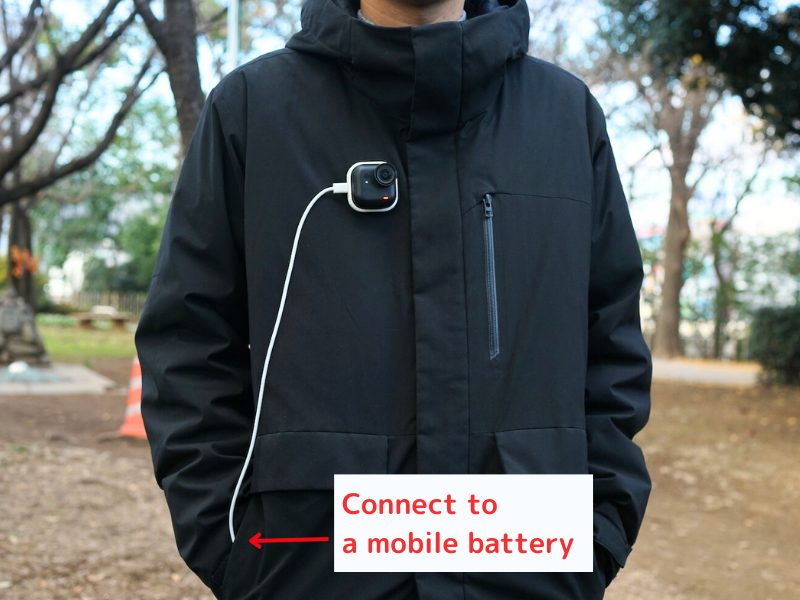
For example, when paired with a mobile battery capable of charging a smartphone once, the GO Ultra can record for up to approximately 8 hours, depending on settings and usage.
All the accessories needed for this setup are included when you choose the FOMO Bundle at the time of purchase.
Compared to buying the GO Ultra and accessories separately, this bundle is $9.99 cheaper, making it a convenient and cost-effective option.
If you haven’t purchased the camera yet, you can check the official store below.
Can the Insta360 GO Ultra Record While Charging?
Yes, the Insta360 GO Ultra supports recording while charging.
We confirmed this directly with Insta360 official support, who stated that the GO Ultra is designed to allow recording while being powered, as long as official accessories are used.
How to Record While Charging on the Insta360 GO Ultra
There are two supported ways to record while charging:
- Camera-only setup (without the Action Pod)
- Using the Action Pod
The GO Ultra is designed so the camera and Action Pod can be used separately.
Both methods rely on official Insta360 accessories, so they are safe and supported.
You can choose the setup that best fits your shooting style—whether you want a wearable, hands-free experience or a tabletop setup with on-screen controls.
Camera-Only Setup (Without the Action Pod)
Even when using the GO Ultra by itself, you can record while charging by using official accessories such as the GO Ultra FOMO Power Kit.
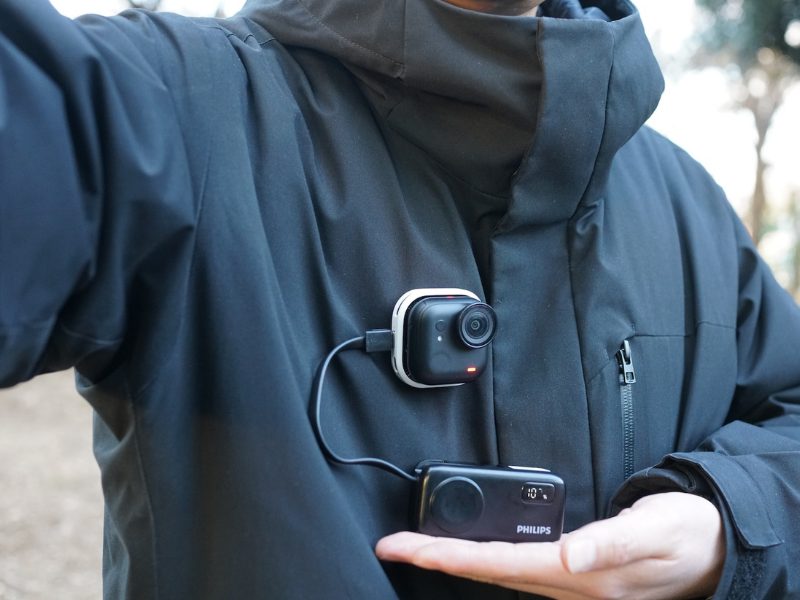
By connecting a mobile battery via USB-C and wearing the camera on a magnetic pendant, you can continue recording without removing the camera.
Because you don’t need to attach or detach the camera repeatedly, this setup works well even while walking.
>> Buy the Insta360 GO Ultra on the official store
Using the Action Pod
When using the Action Pod, recording while charging is very straightforward.
The Action Pod includes a USB-C port, allowing you to connect a mobile battery and record at the same time.
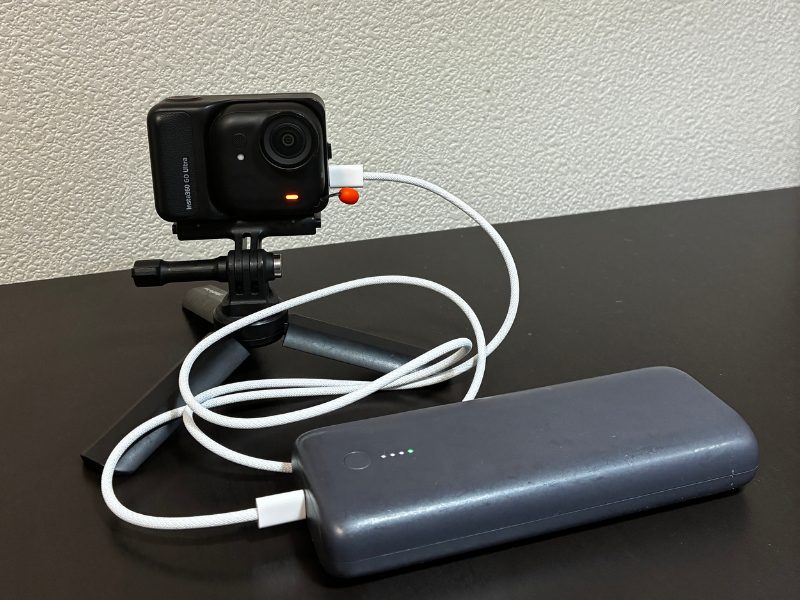
This setup is ideal if you want to place the camera on a desk and control it while viewing the screen.
However, because the Action Pod is not designed to be worn, this method is better suited for stationary use.
Official Kits That Support Recording While Charging
If you want to record while charging in a camera-only setup, official accessories are required.
By selecting the FOMO Bundle when purchasing the GO Ultra, you can get everything you need in one package.
Official Accessories for Camera-Only Charging
Insta360 offers two official accessories for charging while recording without the Action Pod:
- GO Ultra FOMO Flexi Mount
- GO Ultra FOMO Power Kit
GO Ultra FOMO Flexi Mount
The GO Ultra FOMO Flexi Mount is a charging case with a built-in USB-C port, designed specifically for the GO Ultra.
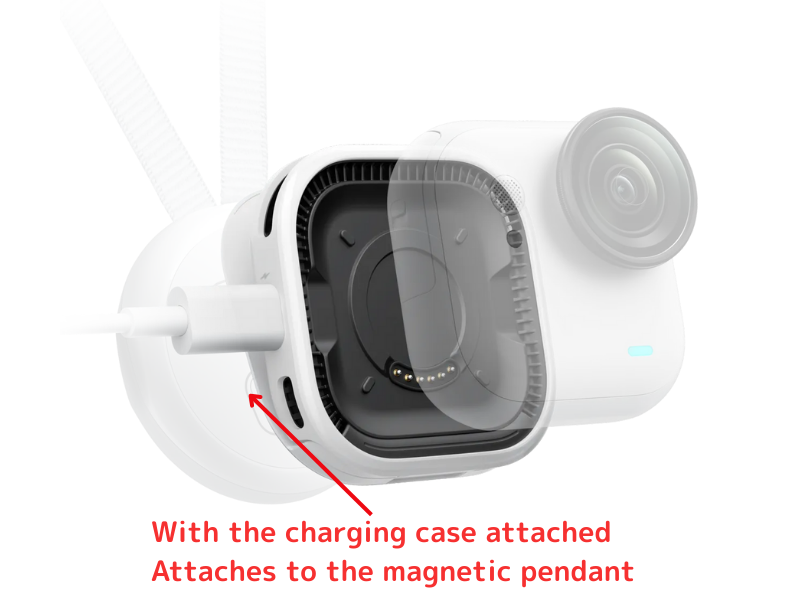
It features magnets on both sides—one side attaches to the GO Ultra’s charging contacts, while the other connects directly to the magnetic pendant.
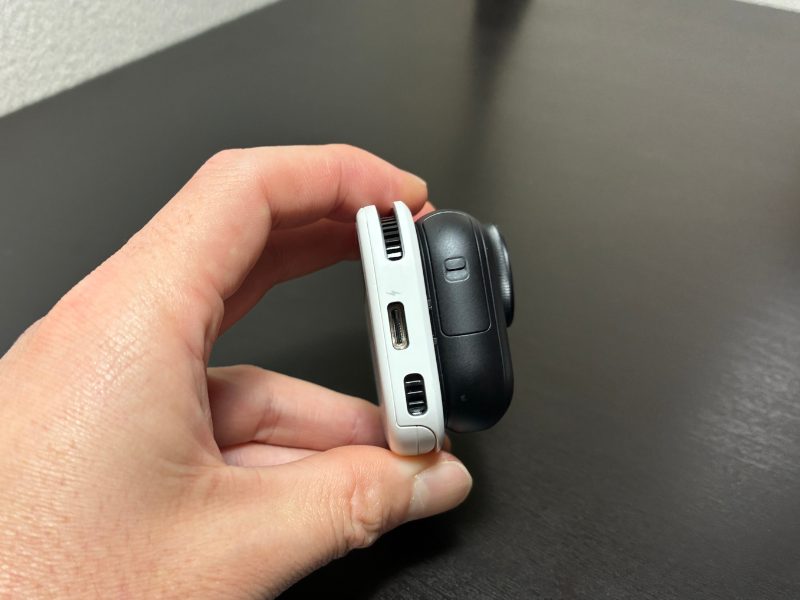
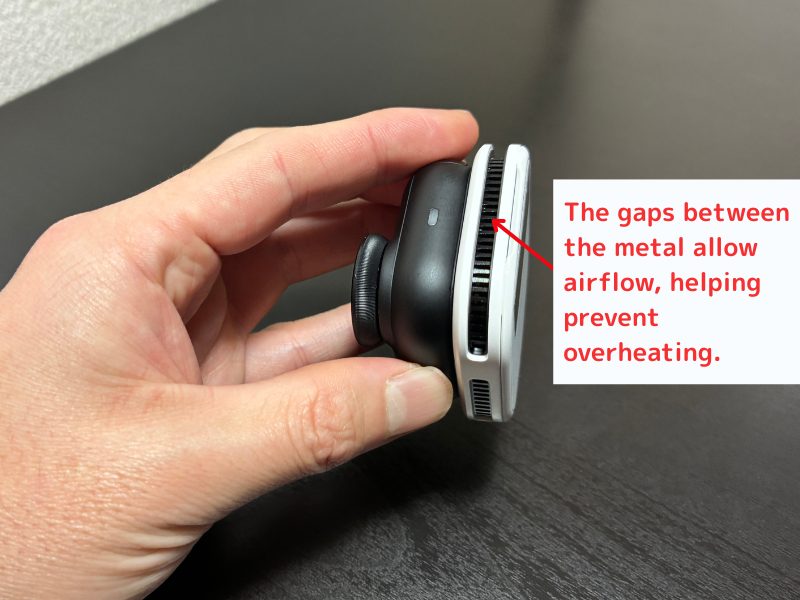
The internal airflow and fin structure help reduce heat buildup during charging and recording.
Because it’s designed specifically for this use case, it’s a reliable and officially supported accessory.
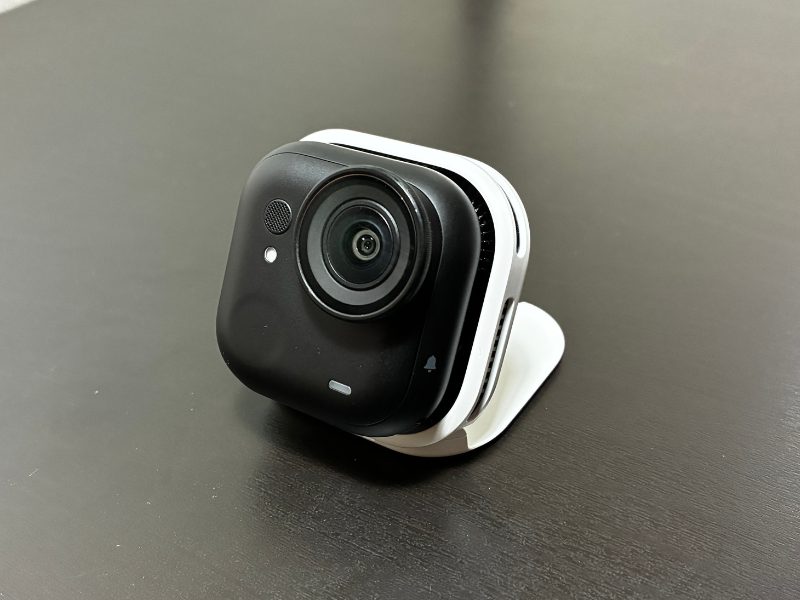
The base can also be opened to function as a standalone tabletop stand.
GO Ultra FOMO Power Kit
The GO Ultra FOMO Power Kit combines the GO Ultra FOMO Flexi Mount with a wearable mobile battery designed to hang around your neck.
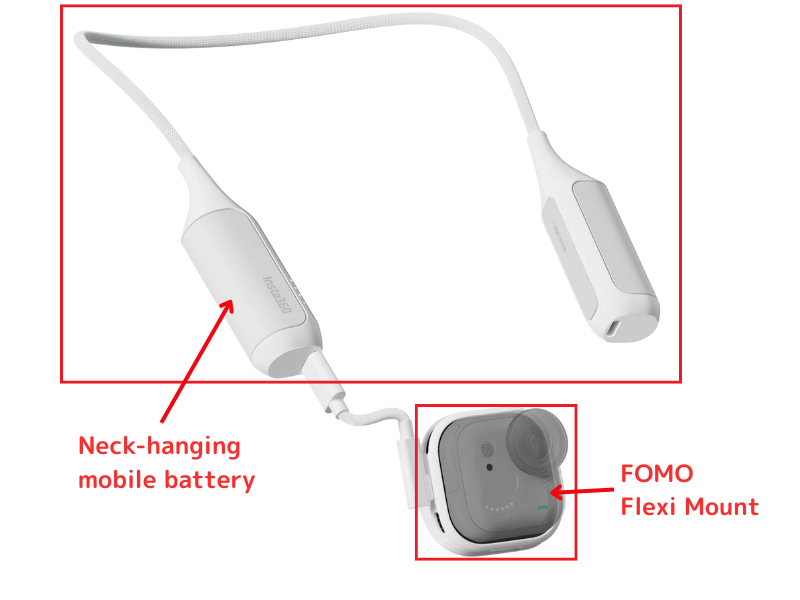
The battery capacity is approximately 4,900mAh—enough to charge a smartphone once.
When used together with the GO Ultra’s internal battery, this setup allows for up to approximately 8 hours of continuous recording, depending on usage.
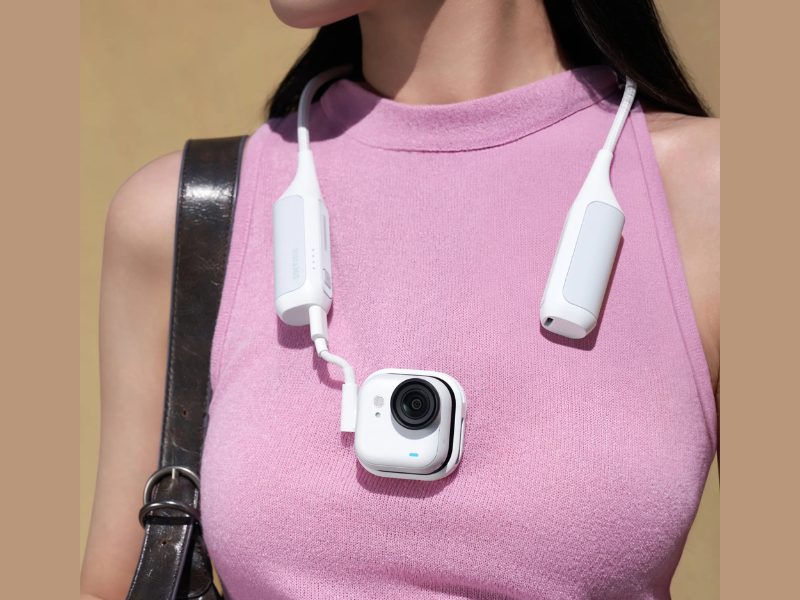
Because it supplies power while being worn, this is the ideal accessory for extended, hands-free recording.
What’s Included in the FOMO Bundle
For users who want to record while charging in a camera-only setup, the FOMO Bundle lets you purchase everything at once.
Simply select the FOMO Bundle option on the official store when buying the GO Ultra.
The FOMO Bundle is a package that includes the GO Ultra camera and the official FOMO Power Kit required for camera-only charging.
>> View the Insta360 GO Ultra FOMO Bundle on the official store
FOMO Bundle Contents
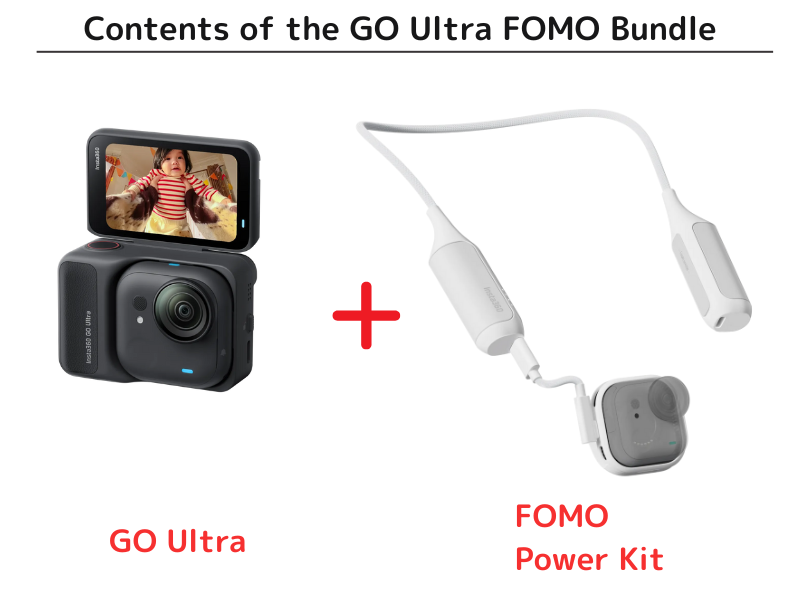
- Insta360 GO Ultra camera
- Standard accessories (including magnetic pendant)
- GO Ultra FOMO Power Kit
With this bundle, you have everything required to record while charging without the Action Pod.
Compared to purchasing the GO Ultra and FOMO Power Kit separately, the bundle saves you $9.99.
>> Buy the GO Ultra FOMO Bundle now
Summary
The Insta360 GO Ultra officially supports recording while charging.
You can choose between a camera-only setup or using the Action Pod, both of which rely on official accessories for safe operation.
For wearable, hands-free recording, combining the camera with the appropriate accessories allows for extended use while worn on a magnetic pendant.
If you want a complete and hassle-free setup, the FOMO Bundle is the easiest way to get everything you need at once.
If you’re still deciding, checking the official store is a good place to start.
>>Insta360 GO Ultra Official Store
Reference: Heat and Safety When Recording While Charging
Recording while charging on the Insta360 GO Ultra is supported and generally safe.
However, using this setup continuously for long periods or every time is not recommended.
For occasional use, there is no need for concern.
In fact, Insta360’s official accessory pages describe this charging-while-recording setup as a standard use case, noting that wearable accessories combined with the internal battery can provide up to approximately 8 hours of use.
To be sure, we contacted Insta360 official support directly.
They confirmed that prolonged, repeated charging while recording can increase heat buildup and may accelerate battery wear over time (as of December 2025).
In other words, using charging during recording when needed is fine, but continuous long-term use every time is best avoided.
Even if battery performance declines over time, Insta360 offers paid battery replacement through official support.
GO Ultra Battery Repair Pricing
- Camera battery: $ 21.99
- Action Pod battery: $ 15.99
- Service labor fee: $ 20 (per repair)
Because batteries are consumable components, some degradation is expected with normal use.
If battery life decreases after extended use, repair or replacement through official support is a practical option.